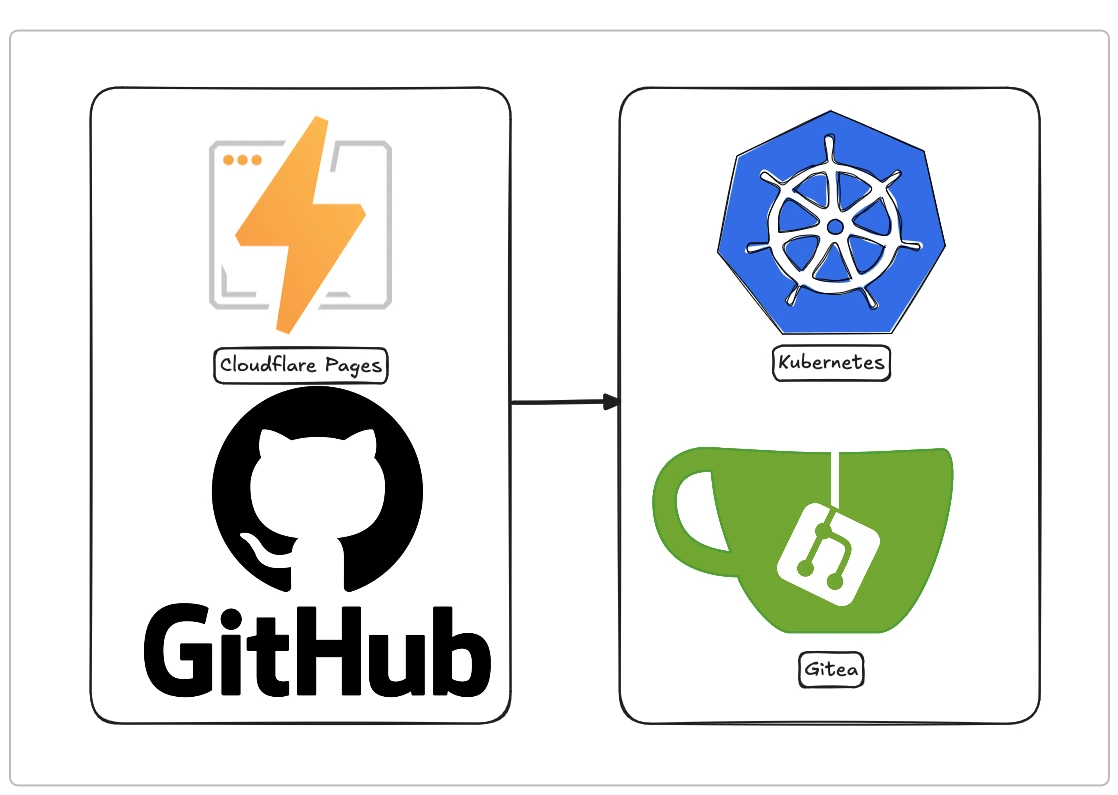
The initial idyll: why Cloudflare Pages seemed like the perfect choice
July 25, 2022—this was the first commit on my blog’s Github repo. Previously, I used WordPress with satisfaction, but I realized I was using less than 10% of the CMS’s features for my blog, which required continuous maintenance to avoid security risks. I started looking for different tools that could give me the possibility to write a blog in a simple format (Markdown), without the need for a backend or a database, and with minimal maintenance.
It was during that search that I discovered Hugo and was immediately very satisfied from several points of view, so I decided to save my articles on Github and host the site on Cloudflare Pages, since my domain was already configured there.
The integration was perfect: a push of a new article to the master branch (back then the default branch still had that name, later replaced by main) gave the signal to Cloudflare Pages (now called Workers & Pages) that it was time to use Hugo to regenerate the static content of the site and publish it.
It was perfect; it never missed a beat, and once set up, it was the most convenient and simplest thing in the world.
A slight detour: unifying domains to attract more traffic to the portfolio
Years pass, we arrive in 2026, and I start my career as a freelancer in the networking and DevOps field. I need to bring more traffic to my portfolio site lazzarotto.dev to attract potential clients.
One of the best suggestions I received was to move the blog from mlazzarotto.it (which brought 1,000 visits in the last 90 days) and merge it with the lazzarotto.dev domain to unify the branding.
The reason was quite simple: in Google’s eyes, I had two distinct websites competing with each other:
- mlazzarotto.it (the blog)
- lazzarotto.dev (the portfolio)
Here I had two paths:
- move the blog to the subdomain
blog.lazzarotto.dev - move the blog to the path
lazzarotto.dev/blog
Doing some research online, I realized that the second option was the one recommended by all the “pros” in web design and SEO.
The unexpected obstacle: the problem of mydomain.dev/blog
Cloudflare Workers & Pages works great when the static site to be published is exposed at the root of the domain (or subdomain) like https://mlazzarotto.it/, but it quickly becomes a nightmare trying to publish the website on the subpath https://lazzarotto.dev/blog due to Cloudflare’s logic.
I won’t deny that I spent several hours trying to get the workers to work to publish the site correctly, and I even got close, but there was always some issue with resources (CSS and JS) not being referenced correctly by Hugo. Therefore, the site was visible but without styling and without dynamic components.
The moment of decision: evaluating alternatives
Even though my professional focus isn’t primarily on hosting services for static sites, I explored the most common alternatives for my case.
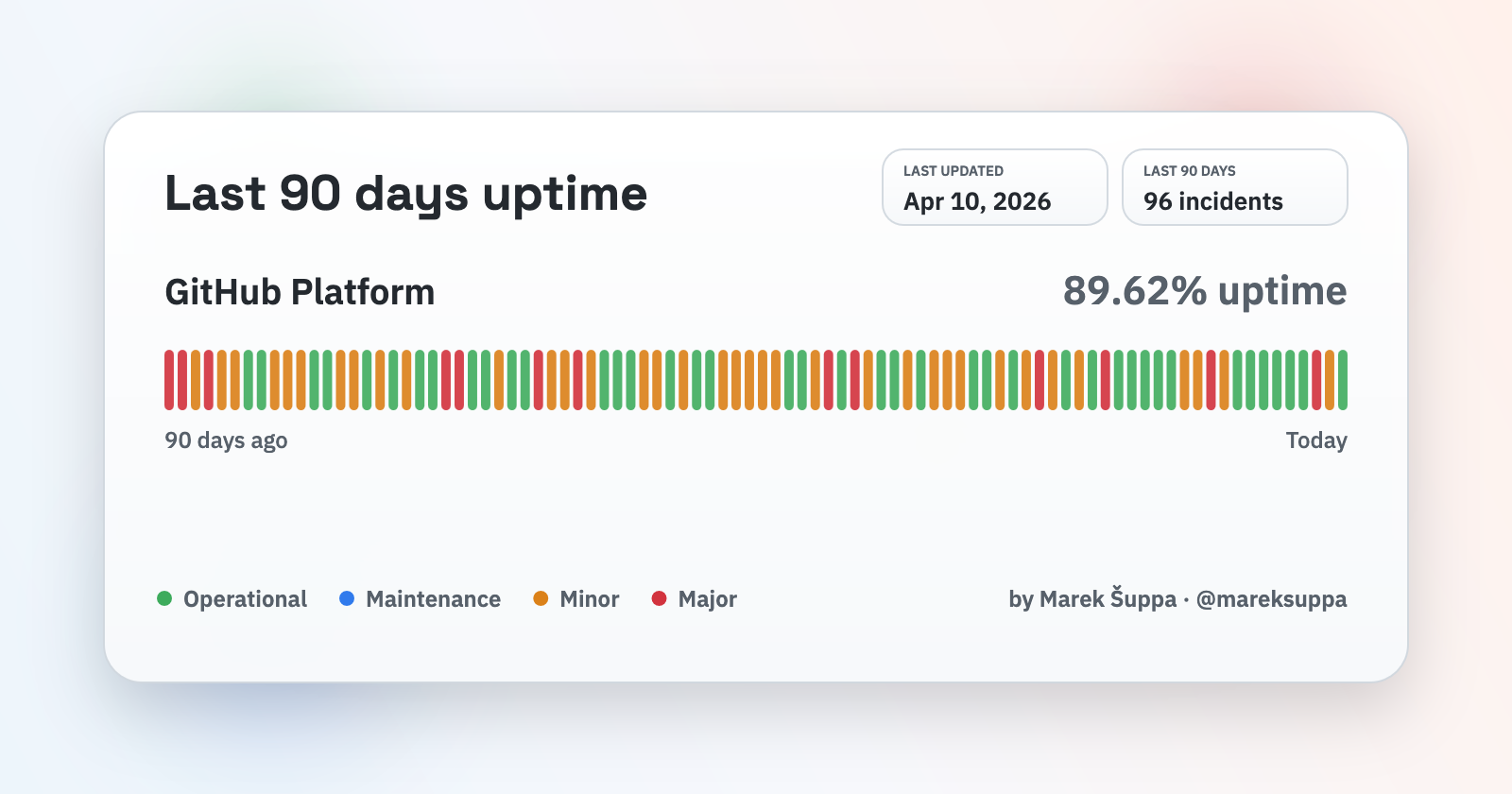
One of the first alternatives I discarded was GitHub Pages, mainly due to an uptime that isn’t always impeccable for my standards. Added to this is my personal preference to distance myself from the Microsoft ecosystem and its current direction.
The image below was taken from https://mrshu.github.io/github-statuses/ on April 11, 2026, and objectively, it doesn’t thrill me, even though my blog doesn’t require 99.9999% uptime.
There are other solutions like Netlify and Vercel, but the problem of using a subpath to make this blog available at https://lazzarotto.dev/blog remained.
Therefore, since I am already hosting my portfolio on Kubernetes using Traefik as a reverse proxy, I decided to keep the blog in my homelab as well.
The new architecture: a look at the new setup
The new architecture involves using Gitea for the repository and Continuous Integration, Kubernetes for the blog deployment, and ArgoCD for Continuous Delivery.
With these three tools, I managed to replicate the combination I used previously—Github + Cloudflare Pages—in a fairly simple (relatively) way that still allows me to have a new post published in less than 5 minutes.
Below, I will illustrate how the pipeline works.
Gitea: controlling my code
I’ve been using Gitea for a while to keep my personal projects locally, including the code for my portfolio site. I also use it as Continuous Integration software thanks to the Gitea Actions feature, which is essentially a copy of Github Actions.
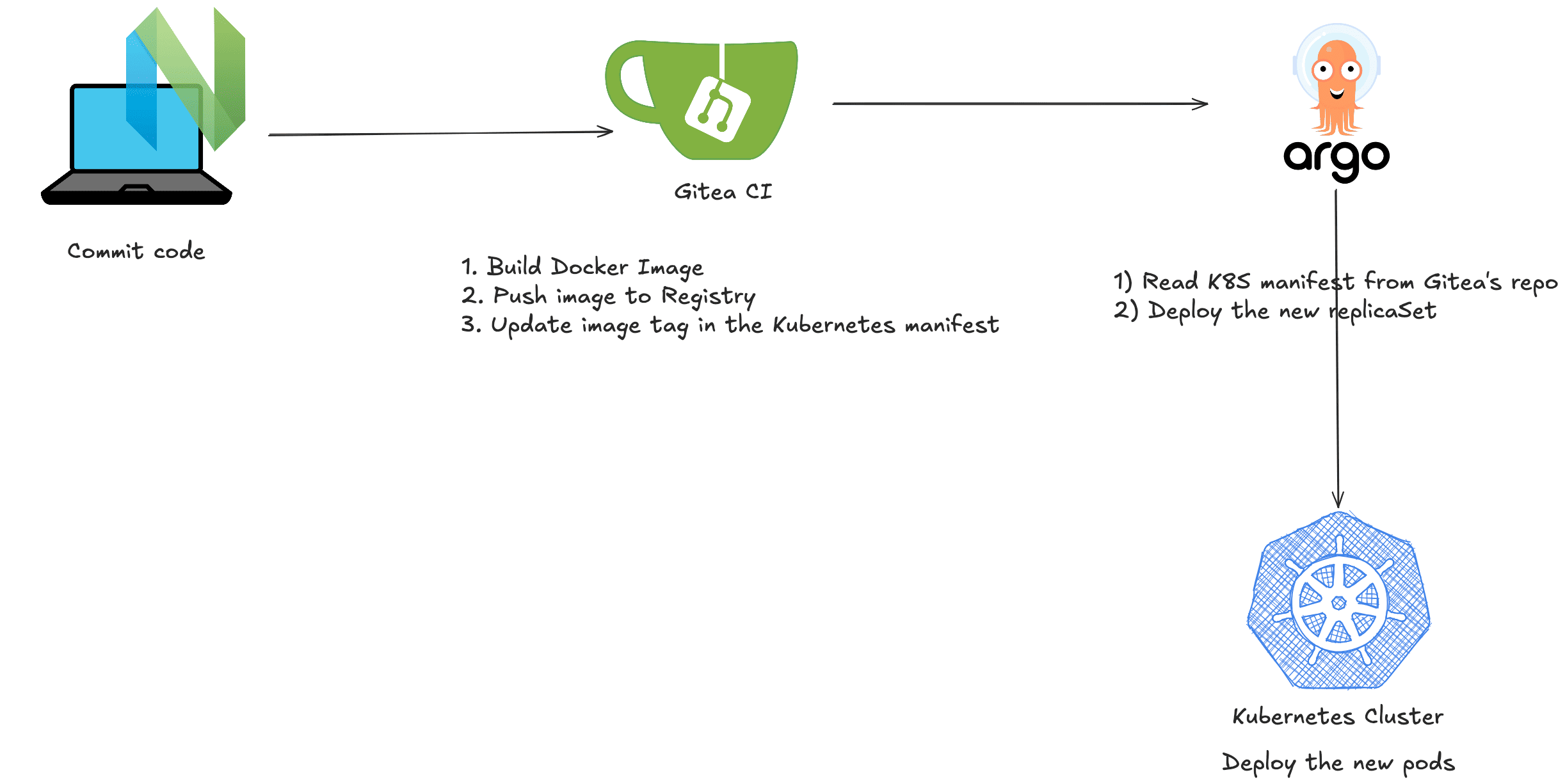
In the blog repo, I created a workflow that builds a Docker image, uploads it to the Docker registry (also on Gitea), and then modifies the Kubernetes manifest so that ArgoCD updates the deployment.
The workflow configuration is quite simple and uses some external packages from Github.
Kubernetes: the orchestrator of everything
While Gitea handles the source code, Kubernetes has the task of orchestrating the pods (2 replicas) and ensuring the application is always working thanks to the implementation of health checks.
The deployment happens automatically thanks to the integration of ArgoCD, which deploys the new replicaSet as soon as Gitea modifies the manifest.
Everything happens while maintaining high reliability and without downtime.
The big picture
Below you can see the diagram of how my workflow and the pipeline between Gitea, ArgoCD, and Kubernetes work.
Final thoughts: was it the right move?
So, was it the right move? Absolutely, yes. I traded the simplicity of a managed service for the total flexibility of my own solution, solving my specific problem and building a platform I can experiment on for a long time. For me, it’s a win on all fronts.
Now let’s compare the pros and cons of this solution.
Pros
- Complete control over the workflow
- Private source code in my homelab, meaning it won’t be used by Github for Copilot training
- No costs (obviously, I’m not counting the biggest cost here: my time; but since the goal was also to practice with new tools, I consider it a training investment in all respects)
- Ability to test different types of workflows and practice with the tools
Cons
- Uptime not at the same level as Cloudflare (SPOF everywhere—after all, it’s my lab and I have no redundancy)
- Speed might be slightly lower (but I still use Cloudflare for caching)
- More elements that can break and therefore potentially more time wasted fixing what breaks.
Coming soon: how I automated everything with ArgoCD
In the next article on this blog, I will analyze in detail how I implemented the automatic deployment via ArgoCD.